 Minuter
Records your meetings, transcribes them locally with Whisper, and produces tidy markdown minutes you can paste into a channel.
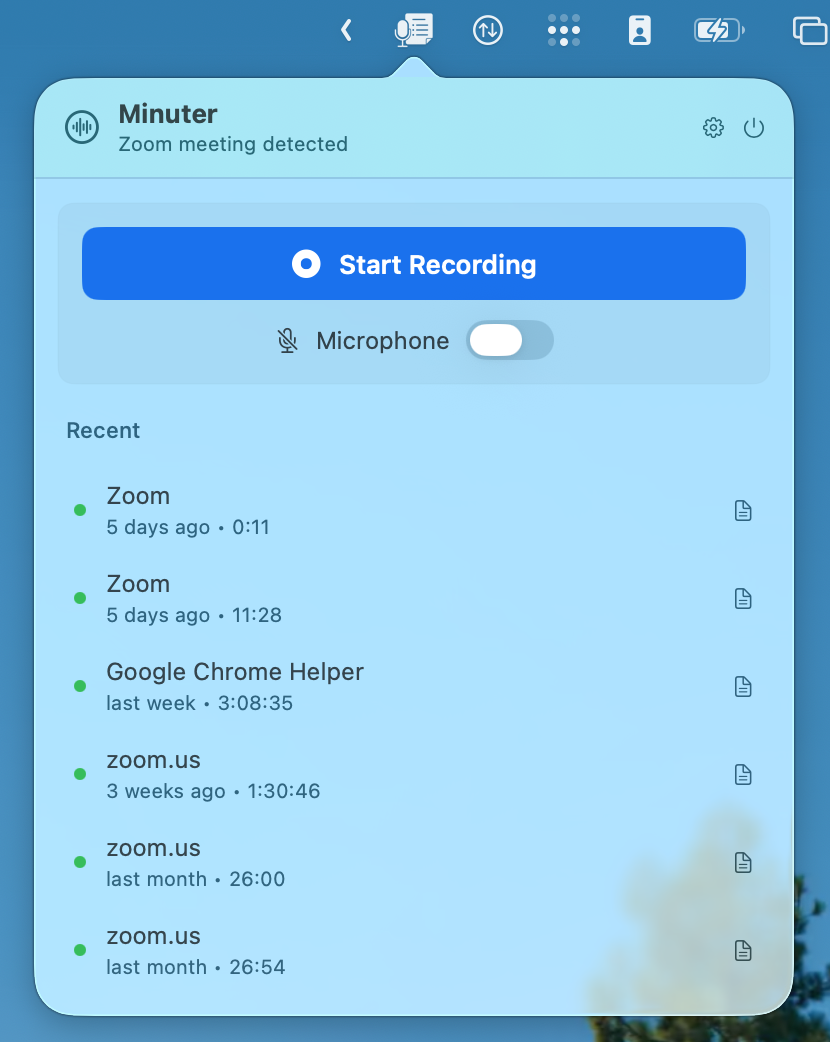
Minuter is a native macOS menu-bar app. It captures system
audio (the meeting) and, optionally, your microphone via Core Audio taps, then
transcribes the recording with WhisperKit running entirely on your
Mac. The transcript is fed to a local LLM (Ollama by default) which
produces a concise markdown summary (the "minutes") that you can copy
straight into Slack, a Notion doc, or an email follow-up.
Nothing leaves your Mac unless you explicitly turn on the optional cloud
add-on. Sandboxed, privacy-first, no telemetry, no analytics.
What it does
- Detects meetings automatically. A floating overlay
appears when Zoom, Teams, or Google Meet open a meeting window: one
click to start recording.
- Captures system audio + microphone with Core Audio
process taps. The system mix and your mic are merged into a single
coherent timeline before transcription, so the LLM sees one conversation
rather than two parallel monologues.
- Transcribes locally with Whisper via WhisperKit.
Multiple model sizes available; download once, reuse forever. Apple
Silicon optimised.
- Summarises locally with Ollama. Bring your own model
(llama, qwen, gpt-oss, or whatever you have running on
localhost:11434). The system prompt is editable in
Settings.
- Auto-stop on meeting end. When the meeting window
closes or the audio goes silent for a full minute, Minuter stops on
its own. Manual recordings without detection are never auto-stopped.
- Built-in player so you can scrub through the audio
of any past meeting, retry processing, rename, or export.
Optional cloud add-on
If you'd rather not wait for local Whisper on long recordings, turn on
Settings → Cloud → Use cloud for processing. Audio is
uploaded over HTTPS to a private, no third-party server, and the transcript +
summary come back in under a minute for a typical meeting.
Requirements
- macOS 15 Sequoia or later (uses the macOS 14.4+ Core Audio process-tap API)
- Apple Silicon (M1 / M2 / M3 / M4)
- Microphone permission, plus Screen Recording permission for system audio capture
- For local summaries: Ollama running on
localhost:11434 (free, optional)
Download
Download Minuter 0.0.13
disk image (.dmg), Apple-notarised
Pricing
Free for 30 days. Then:
- $6 one-time for the local app. Permanent license, lifetime updates, no subscription.
- $3 / month for the optional cloud add-on, on top of the local license. Cancel anytime.
Buy local license ($6)
Subscribe to cloud ($3/mo)
Full pricing
Contact
eu (at) manueldeprada (dot) com
minutes (n.): the official record of what was said.
← All apps ·
Pricing ·
Terms ·
Privacy ·
Refunds
Copyright 2026 Manuel de Prada Corral